
Kembali ke Pilihan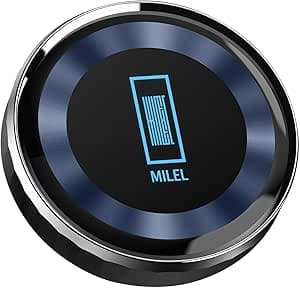
MILEL
MILEL MB-401 Voice Control AI Box Voice Control AI Box App Activate / End / Destination Setting with Voice / Voice Split Screen with Voice / Switch between Left and Right Screen with 7:3 / Split Combination Storage Function / YouTube Advertising Automatic Skip / Wi-Fi Router Function / Built-in HDMI Port / CarPlay AI Box 8 GB Memory 28GB storage
Home Goods🇺🇸 USA
3.8
Peringkat
9
Ulasan
1
Video
0
Poin Harga
Perbandingan Harga
Kupang
—
Amazon
Lihat di Amazon —
3.8(9)Perdana
Ditampilkan oleh マツダを語りたいだけのチャンネル dalam video viral dengan 25.7K penayangan.
Perdana9 ulasan AmazonTerlihat di 1 video pembuat
Fitur
- WIFI connection is required to use MILEL, but if you do a Wi-Fi tethering connection on your smartphone, you need to do Wi-Fi tethering, not data communication connection. Also, if you do not select an automatic connection in the network setting, you must make a manual connection. The online instruction manual contains many troubleshooting as well as how to use the product, so please be sure to check if you have any questions. Some examples are that if you do not use the MILEL Bluetooth phone app or Bluetooth music, you don't need to connect your smartphone to Bluetooth
- For 2023 and newer Lexus vehicles, even if the car play terminal is a terminal, it will start with a single connection of the original C to A cable. If you connect a Y cable with a USB car charger, please make sure to only use the original cable as it will cause overcharging and short circuit factor
- Please refrain from purchasing this product if you are using the VOLVO V90, as there may be an occurrence of sound misalignment. The new bezel is equipped with Apple CarPlay only with manufacturer option navigation. BMW, MINI, WRX or SUPPLA are not recommended for use. 2025 3008 Confirmed for Real Vehicle. The new RAV4 can be launched by certain updates. Please refrain from purchasing if applicable. Subaru D-type and later vehicles cannot be launched smoothly, so we provide separate support for the startup procedure
- Flip-down monitors may appear to have an HDMI port at first glance, depending on the manufacturer. Voxy and 40 Alphard can be configured with HDMI linkage settings on the front seat navigation, but it will not be able to output if the dealer option is "HDMI Linked". Please note that other vehicles flip down monitors may not necessarily be HDMI. Flip down monitors such as Honda Odyssey and Serena are unable to output video in the rear seat while driving. If you are worried, please prepare a headrest type HDMI monitor. Headrest HDMI monitors come in a variety of different types but basically we recommend Alpine. For non-alpine headrest monitors, you will be sure that the case will not display full screen depending on the display area specifications. If the rear output is not possible, connect the Fire TV Stick directly to the HDMI port on the rear side, the front seat is MILEL, the rear side is recommended to watch with TV Stick
- To watch TV on MILEL, you will need a diiga-compatible device or smartphone de REGZA at home, anywhere you go. There is no need for a TV canceller, if it works with the applicable home installation. However, TV APP limits HDMI output, so it cannot output video to the rear HDMI monitor
- Specific examples of using MILEL: Watch the MILE video app on full screen both front and rear seats. You can use the map app for the driver and the passenger seat with 2 split screen feature. The front seat has a full screen display using the manufacturer's original navigation system, and the rear side plays a full screen MILE video app. etc. Both front and back seats allow you to use the split screen functions to display half of each other in front and back. Press the "Exit" button when the MILEL is displayed in the front and back, so you can use genuine car navigation system with MILEL left in the rear seat. In that case, if the rear seat is non-touch panel monitor, you can't operate it without Bluetooth mouse. The steering wheel is not compatible with various manufacturer specifications
- Voice control function is free up to 1,000 times or 3 months from start of use, but you need to purchase from the HeyNano app
- Troubleshooting is found on the back of the online instruction manual. Troubleshooting is constantly increasing so please check the latest online instruction manual
- Register official LINE support by accessing the included online instruction manual. If you contact us on the same business day, we will reply in the same day, or if you get no reply, you may have registered in a different account. Register in LINE via QR code instead of ID search
Featured in 1 Video
Halaman ini berisi tautan afiliasi. Thothy dapat memperoleh komisi tanpa biaya tambahan jika Anda membeli melalui tautan ini.
Terakhir diperbarui: 5/30/2026, 7:07:05 PM